One Stop Outdoor Store
Sofirn ST1 1500Lm Flashlight SFT25R 6000K USB Rechargeable Flashlight for Travel and Camping Supplies Outdoor Lighting
Sofirn ST1 1500Lm Flashlight SFT25R 6000K USB Rechargeable Flashlight for Travel and Camping Supplies Outdoor Lighting
Couldn't load pickup availability
SPECIFICATIONS
1: sofirn st1
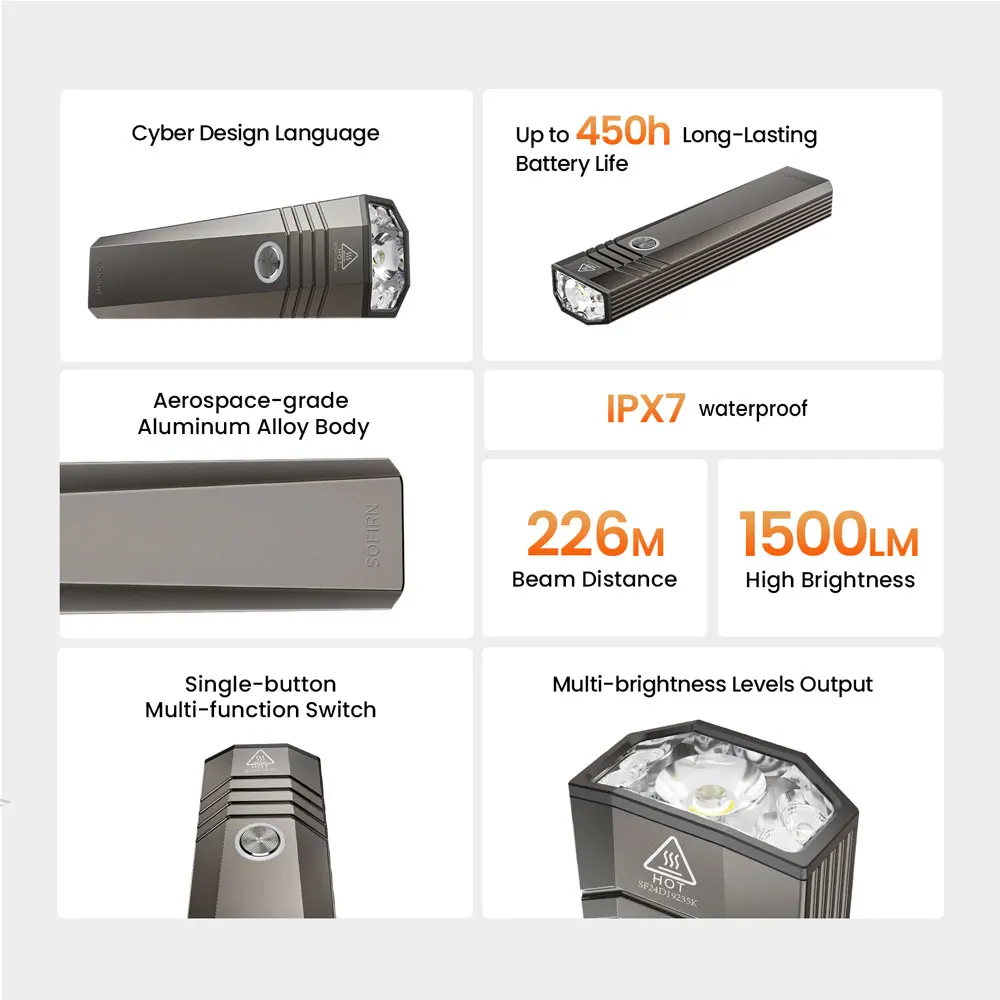
Body Material: Aluminum Alloy
Brand Name: Sofirn
Certification: CCC,ce,FCC,ROHS
Charger: Rechargeable
Color: black
Flashlight Type: outdorr, working, camping,fishing
Focal Length: Non-adjustable
Function: Shock Resistant,Hard Light
High-concerned chemical: None
Is Batteries Included: Yes
Item Type: FLASHLIGHTS
Light Source: LED bulbs
Lighting Distance: 200-500 m
Lumen: Other
Model Number: ST1
Origin: Mainland China
Support Dimmer: > 8 Files
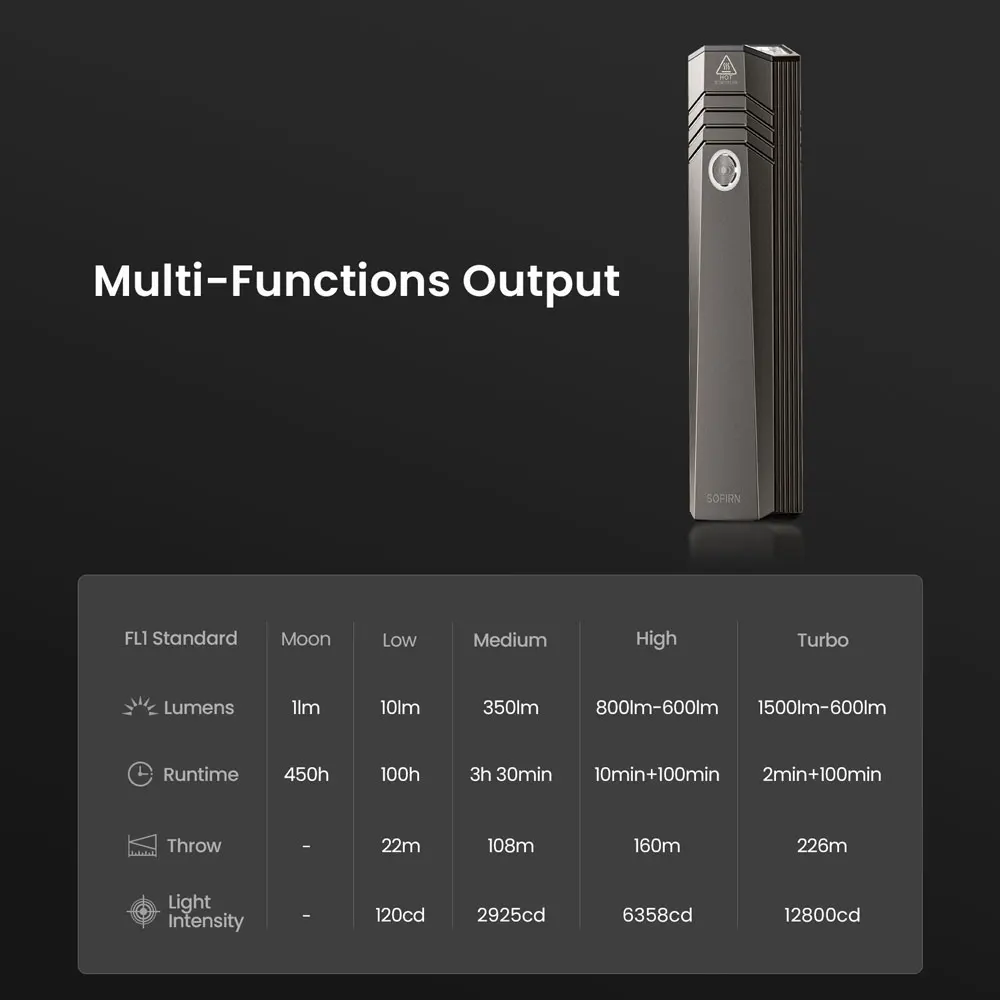
Switch Mode: High/Middle/Low
Waterproof: Yes
Wattage: 10W
Zoom: No
Description
Note: For safety during shipping, the ST1 is shipped in lockout mode. Please double-click the button to unlock it after you receive it.
Make sure you double click to lock it before pocket-carry or backpack-carry.
IN THE BOX:
ST1
Lanyard
User Manual
Type-C Charging Cable
Dust-proof Bag
1. Lock/Unlock. see Figure 3
When the flashlight is off:
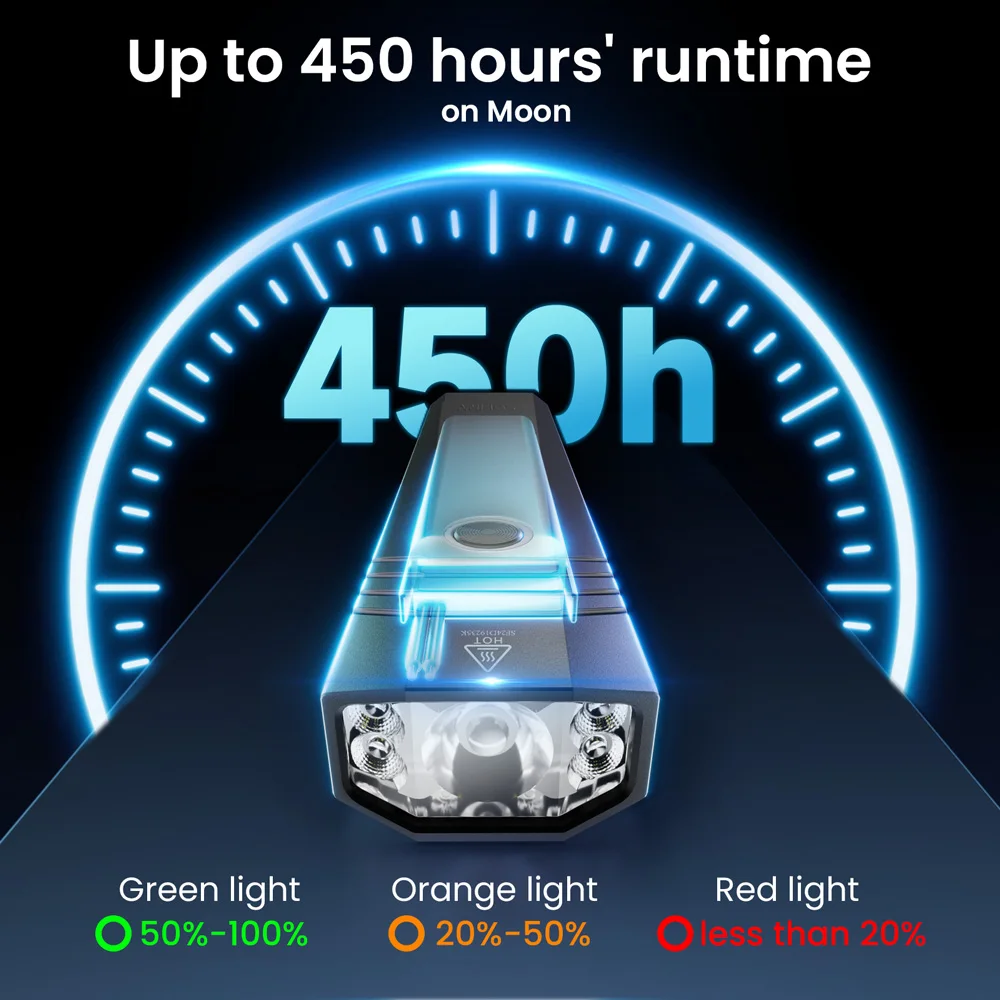
Double-click the switch to lock the flashlight.The indicator light will flash twice with a breathingeffect in the color corresponding to the currentbattery level.
In the locked state:
Long press the switch to temporarily turn onLow Mode; release to turn off.Double-click the switch to unlock and turn onthe flashlight in the memorized mode.Single-click the switch: the indicator light willflash twice with a breathing effect (batterylevel indication).Any other operation will trigger a locked-statewarning.
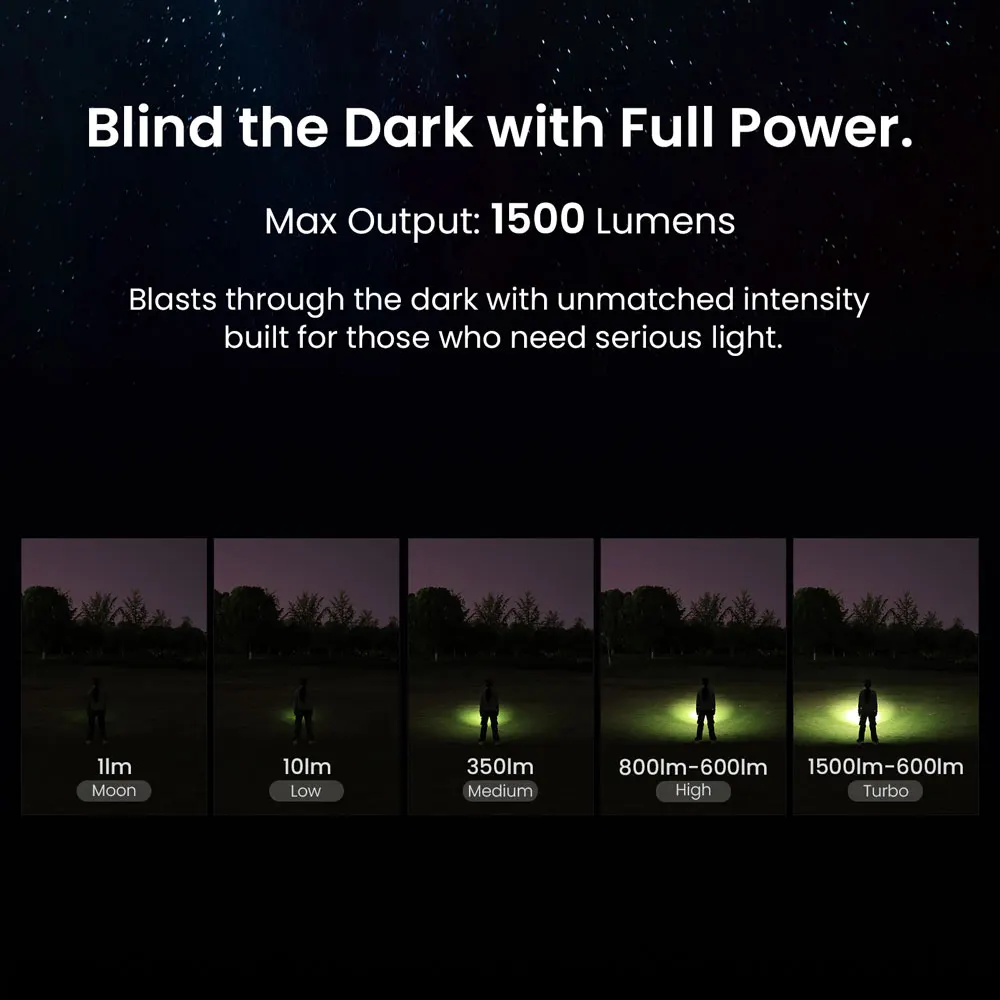
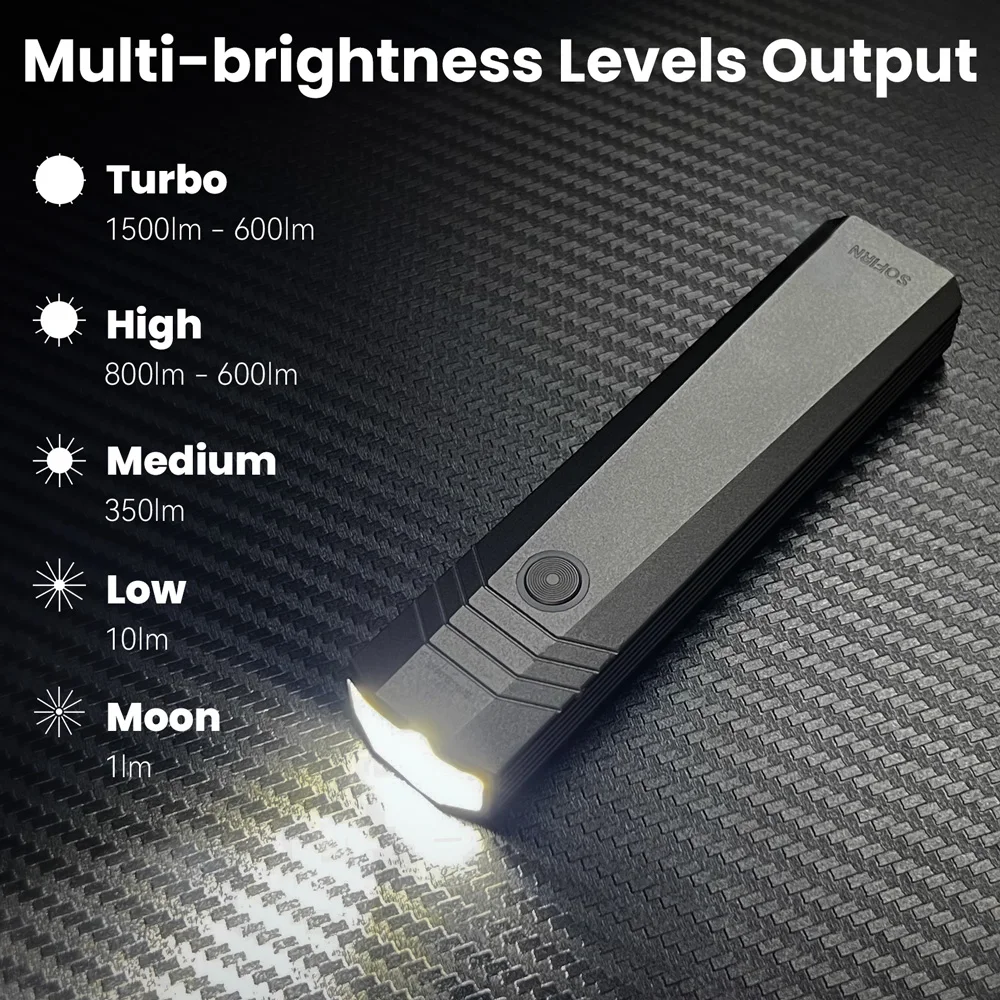
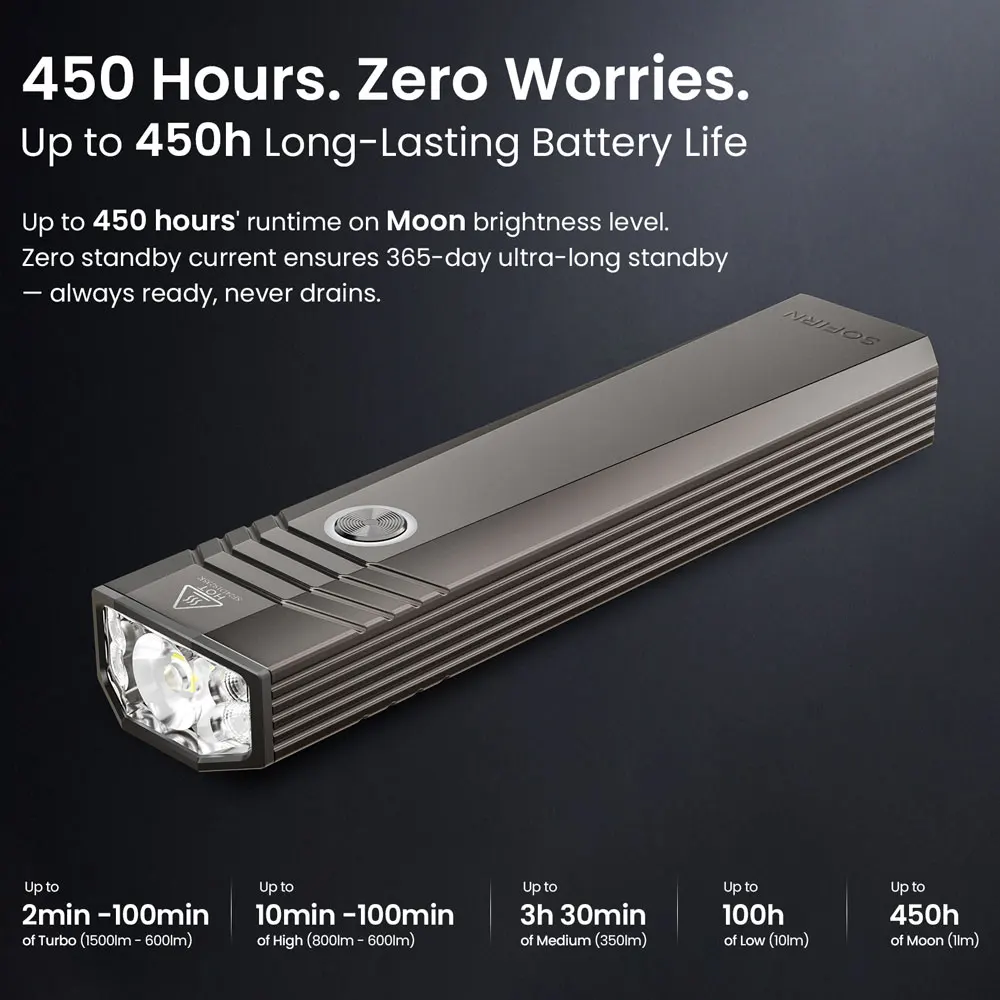
2. Brightness AdjustmentWhile the flashlight is ON, long press the switchto cycle through brightness levels:Low→ Medium → High See Figure 4.
3. Moonlight ModeWhen the flashlight is OFF and unlocked, longpress the switch to turn on Moonlight ModeSingle-click to turn off. see Figure 5.7. Turbo Mode
While the flashlight is ON, double-click theswitch to enter Turbo Mode. Single-click toreturn to the previous brightness level.
See Figure 6.
4. ON / OFF
Single-click the switch to turn the flashlight
ON Or OFF.
When turned ON, it will activate in the memorizedbrightness level(except Moonlight or TurboMode).